
Recursion
Binary Search
"Binary Search" is an algorithm you can use to quickly search through Sorted Arrays and other sorted data structures. We'll walk you through how Binary Search works below.
Problem: Given a sorted array arr, and a target number target, return the index of the target.
If the target isn't in the array, return None.
The array contains unique elements.
binarySearch([1, 2, 3, 4, 5, 6, 7], 3)
# 2
binarySearch([2, 4, 6, 8], 6)
# 2binarySearch([2, 4, 6, 8], 3)
# NoneTo solve this problem efficiently, you should use Binary Search. Binary Search is when you look at the middle of the element of your Sorted Array, and use it to eliminate half the elements from your search. For example, say we're looking for the number 3.
First, the binary search looks at middle element in the array:
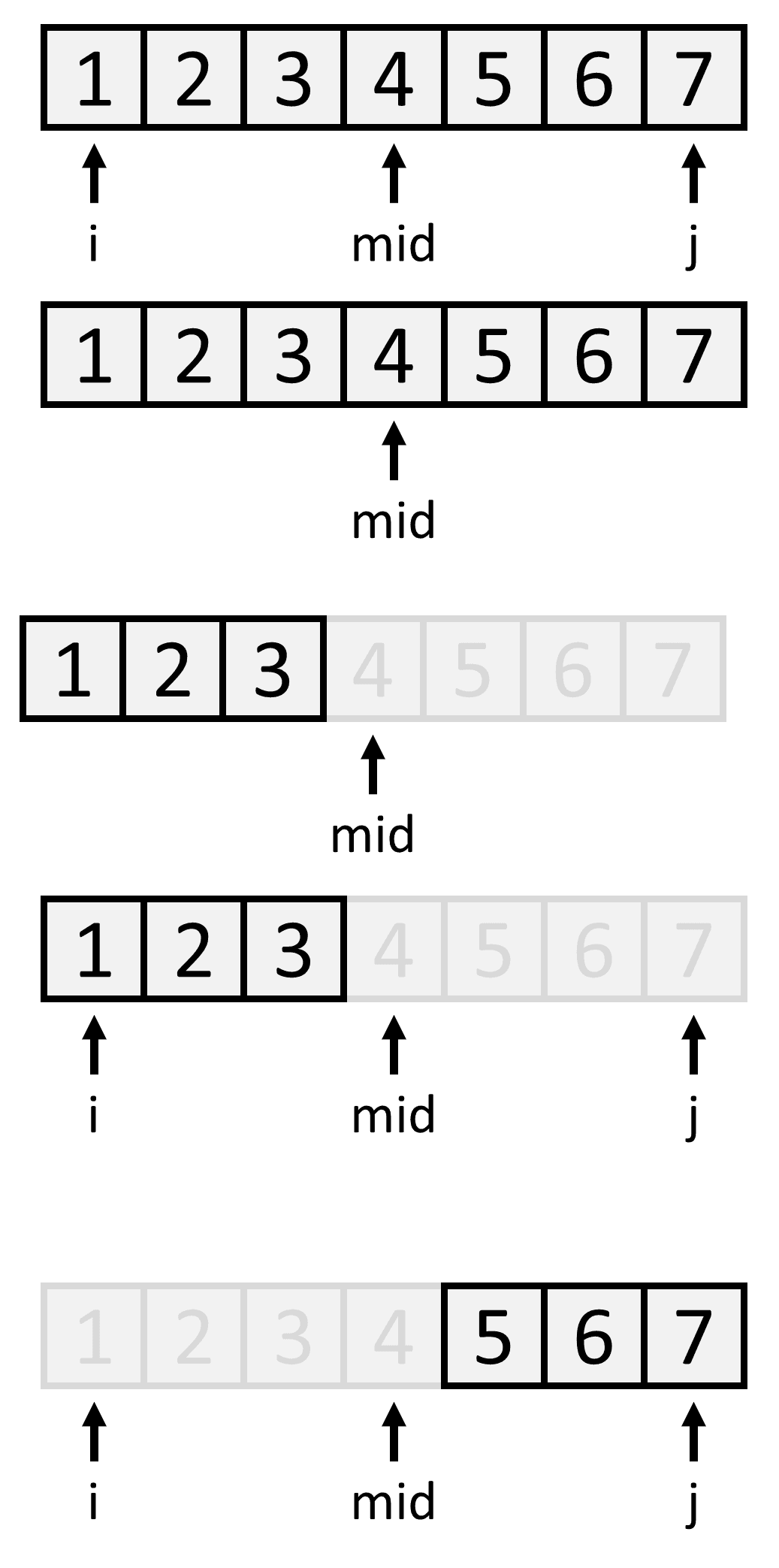
Next the binary search compares the number we're searching for with the middle element. The number we're searching for (3) is less than the middle element (4). This means the number we're searching for must be to the left of the middle element:
We eliminated half of the array from the search after doing a single comparison. We can continue using the same logic to search the remaining elements [1, 2, 3], and so on. We stop when we've found our number or eliminated everything.
We want to create a function that does a Binary Search from index i to index j in the array.
search(i, j)1. Recursion
To do Binary Search, we always look at the middle element between i and j to decide what to search next.
If the middle element is less than the target, we search the left half of the elements next.
If the middle element is greater than the target, we search the right half of the elements next.
If the middle element equals the target, we're done.
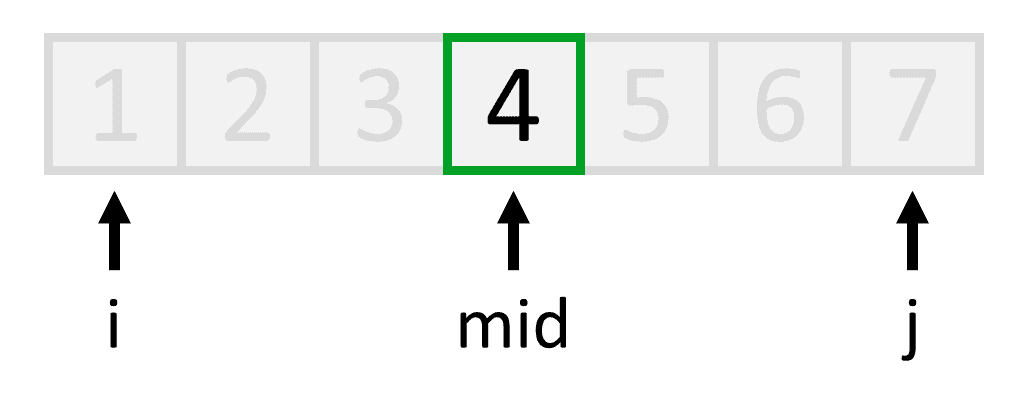
Putting these three conditions together, we get our recursion:
def search(i, j):

    mid = (i + j) // 2
    if target < arr[mid]:  return search(i, mid-1)   # search the left half
    if target > arr[mid]:  return search(mid+1, j)   # search the right half
    if target == arr[mid]: return mid                # done
We found the middle index by taking the average of i and j, which is mid = 2i+j. We also round mid down to the nearest integer using the syntax "//" to make sure that mid is always a valid index, and doesn't contain any decimals.
2. Base case
We need to figure out when our recursion breaks. This happens when the indexes i and j cross each other, because this is not a valid interval to search. In this case, we know the target is not in the array.
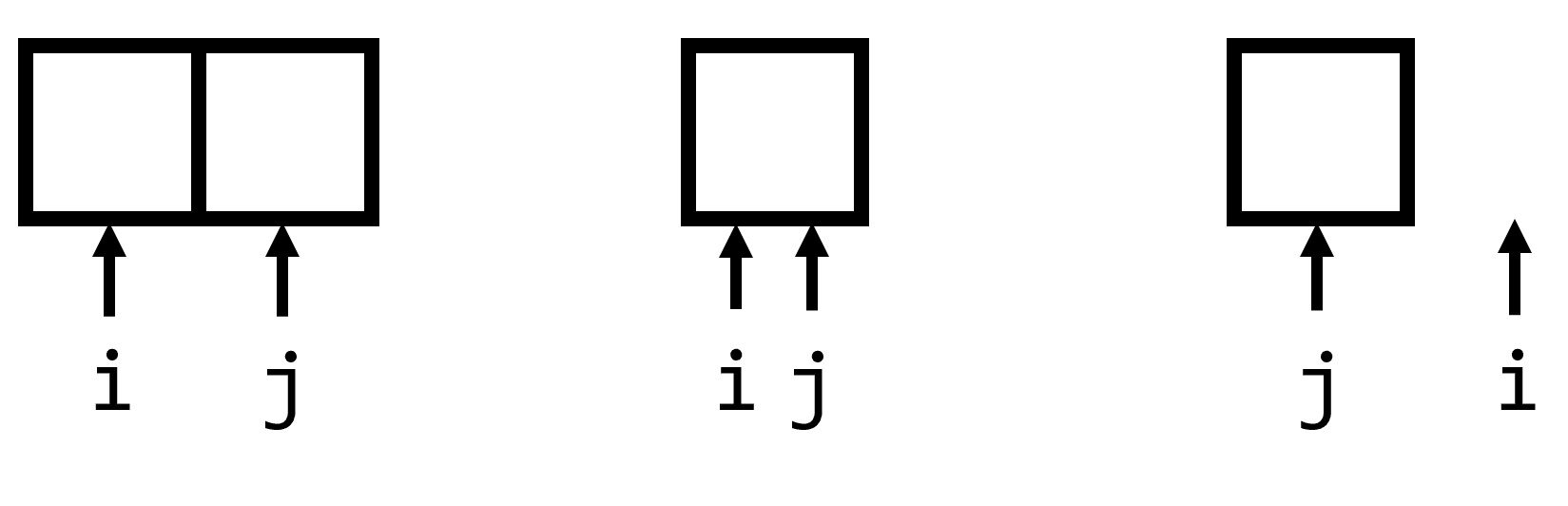
if j == i-1: # indexes cross each other
    return None # target isn't in array
3. Code
Combining the recursion and the base case, we get:
def binarySearch(arr, target):

    def search(i, j):
        # base case
        if j == i-1:
            return None

        # recursion
        mid = (i + j) // 2
        if target < arr[mid]:   return search(i, mid-1)
        if target > arr[mid]:   return search(mid+1, j)
        if target == arr[mid]:  return mid

    return search(0, len(arr)-1) # call our search
Time Complexity O(logn). Halving the search every step means Binary Search does log2(n) operations.
Space Complexity O(logn). search calls itself up to logn times, so the Call Stack gets logn calls deep.
You can easily convert this to iterative code:
def binarySearch(arr, target):
    i = 0
    j = len(arr)-1

    while True:
        # base case
        if j == i-1:
            return None

        # recursion
        mid = (i + j) // 2
        if target == arr[mid]:  return mid
        if target < arr[mid]:   j = mid-1
        if target > arr[mid]:   i = mid+1
Time Complexity O(logn)
Space Complexity O(1)
Here's an explanation of why logn shows up:
Open SpoilerClose Spoiler
Let's use an example. Say we're searching this array for the value 3. The array starts out with n total elements.
In the next step, we're only searching half the elements (n/2).
After that we're only searching half of those elements (n/4).
The binary search stops when it's gotten down to 1 single element.
We know that every step, the binary search halves the number of elements it searches. This means if it's done S steps, then it's halved the array S times. At that point, it's searching n/2S elements.
The binary search stops when we're left with a single element. This gives us an equation - the total number of elements at that point 2Sn is equal to 1:
Multiplying both sides by 2S gives:
Taking the log of both sides gives:
This equation tells us that a binary search stops when the number of steps we've done, S, is equal to log2n.
Intuitively, this is obvious - we're halving the size of the array at every step of the search. This means that if we double the size of our input, we know we only have to do 1 extra step in the binary search. That's exactly what O(logn) means. (the definition of log2(n) is that when you double n, log(n) increases by 1).
You might be wondering why anyone would store their data in a Sorted Array like in this problem and search for elements using Binary Search, when they could have just used a Set the whole time to do even better. The answer is that this is just a common interview problem. You'd indeed typically use a Set instead.
In the next few examples, we'll see that Binary Search is optimal when you want to search for an element that's less than a certain number (or ≤,≥,>). Generally, binary search is useful when you want to the biggest element less than a number, or vice versa (you can think of this as the sole purpose of binary search).